Table of Contents
How CPUs Read Memory
Let's take a 64-bit CPU as an example. What does "64-bit" really mean?
- A CPU doesn't read one byte at a time
- A 64-bit CPU reads/writes 8 bytes at a time (1 byte = 8 bits -> 8 x 8 = 64 bits)
- These 8-bytes blocks are called words
Reading a word from memory that isn't aligned (that is, not starting at a multiple of 8) takes extra CPU instructions/operations! And as you can already guess, this is very slow
Let's analyze a bit more what does the phrase isn't aligned mean
Alignment
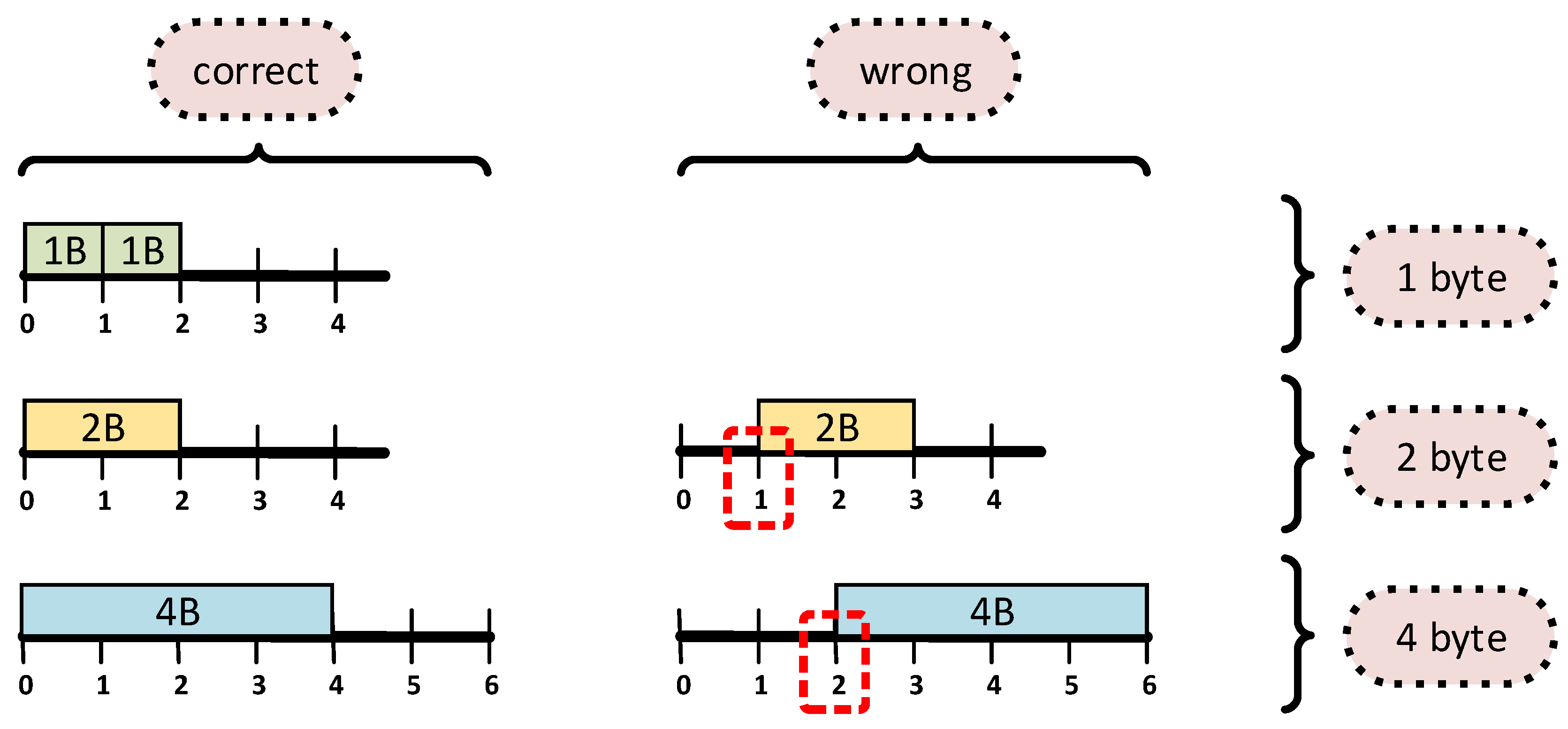
Alignment is simply The memory addresses where a type can start so the CPU can read/write it efficiently, that is, with the minimum amount of CPU instructions
There is a way to calculate an alignment for each type. The following formula should be true:
size % alignment = 0
alignment can either be 1, 2, 4, 8 (basically divisibles of 8)
For example, these types have the following alignments:
- u8: size of 1 -> 1 % 1 = 0
- u16: size of 2 -> 2 % 2 = 0 so 2-byte alignment
- u32: size of 4 -> 4 % 4 = 0 so 4-byte alignment
- u64: size of 8 -> 8 % 8 = 0 so 8-byte alignemnt
...etc
Remember, we're aligning types so that the CPU can read data faster (not to mention that some CPUs can even crash if data is misaligned)
Padding
When a struct has fields of different sizes, we may need padding, that is, extra bytes inserted so each field starts at the correct alignment
For example:
#[repr(C)]
struct Example {
    a: u8,   // 1 byte
    b: u32,  // 4 bytes
}
Memory Layout:
0 (offset): a
1-3: padding
4-7: b
You may be wondering why we had to add padding at exactly 1-3 offset positions. We add padding at offsets 1–3 so the next field starts at the correct alignment
Here's the math again:
alignment of u32 is 4, so:
offset 1: 1 % 4 != 0
    2 % 4 != 0
    3 % 4 != 0
    4 % 4 = 0
so b must start at offset 4. Therefore the size of the struct is:
`a` takes 1 byte
`b` wants to start at multiple of 4, so we add 3 padding bytes
Total size of the struct is 8 bytes
Also keep in mind that struct's alignment = maximum alignment among its fields. In our example:
#[repr(C)]
struct Example {
    a: u8,   // 1 byte
    b: u32,  // 4 bytes
}
alignment = max(1, 4) = 4
Lastly, but very importantly, the total struct size must be a multiple of the struct alignment
Let's take again this example, but also add one more field
#[repr(C)]
struct Example {
    a: u8,   // 1 byte
    b: u32,  // 4 bytes
    c: u8 // 1 byte
}
Memory Layout:
0 (offset): a
1-3: padding
4-7: b
8: c
The total size now is 9 bytes, so the size is no longer a multiple of the struct alignment (which is still 4 in this case)
So what would we have to do in order to satisfy the above statement? You guess it. Add padding bytes
New Memory Layout:
0 (offset): a
1-3: padding
4-7: b
8: c
9-11: padding
Now the total size is 12 bytes, which is a multiple of 4, so we're good!
One Last Example
#[repr(C)]
struct Challenge {
    a: u16,  // 2 bytes
    b: u8,   // 1 byte
    c: u64,  // 8 bytes
}
Memory Layout:
0-1: a
2: b
3-7: padding
8-15: c
size is 16 and alignment is 8