For a while now I've been building Pyxida (Πυξίδα, Greek for "compass"). It's the tool I open first every morning: todos, notes, reminders, calendar, my learning queue, project stuff and the random ideas that show up at midnight, all in one place.
The backend is just my Obsidian vault. Plain markdown files on my Mac, no proprietary database, nothing to export if I ever want out. Just files I can grep.
It syncs to my phone so I can throw something in from anywhere, and it has a chat running on a local LLM that can actually do things for me. Local because everything in there is my data and I'd like it to stay that way.
Table of Contents
Why I Built It
Every productivity app I tried got something wrong. Great todos and terrible notes. A nice calendar that didn't match how I think. Fifteen clicks to write down one thought. And all of them wanted my data in their cloud, in their format, forever.
I was already writing everything in Obsidian, so I built the thing on top of it. My notes stay markdown. Everything else is just a nicer way to look at them.
What It Does
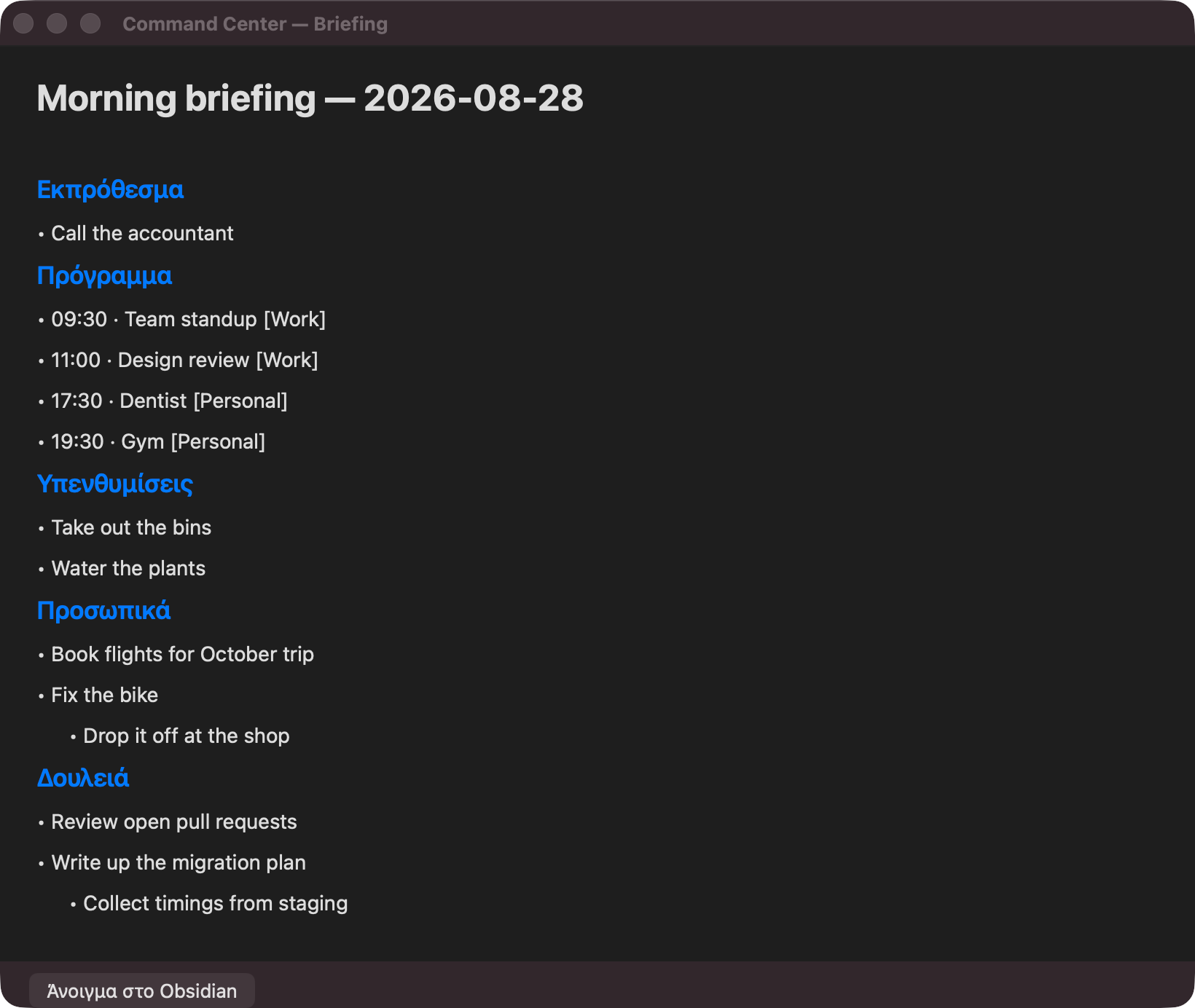
The day starts with a briefing: overdue stuff first, then the agenda, reminders, and my personal and work todos, subtasks included.
Most of my input goes through New. I hit ⌘N, type a sentence, pick where it goes, and it's in the vault.

The fields change with what I'm capturing. A reminder gets a time and a repeat, a calendar event gets a calendar and a duration, a book gets a link, and a note gets a whole editor.

The rest:
- Todos as a real tree, with subtasks and carryover to the next day. Edits stay local until I hit Commit, so ticking five boxes is one sync, and Revert takes me back.
- Calendar and Reminders, straight from the macOS ones, no second copy to keep in sync.
- Learning queue for books, articles and videos. Spoiler: it only grows.
- Project notes, one space per project with its own memory.
- A scratchpad for the day's half-formed ideas.
- Signals: health checks for my side projects, my open PRs and red builds, and email sender and subject only, never bodies.
- Any day, past or future, one date picker away.
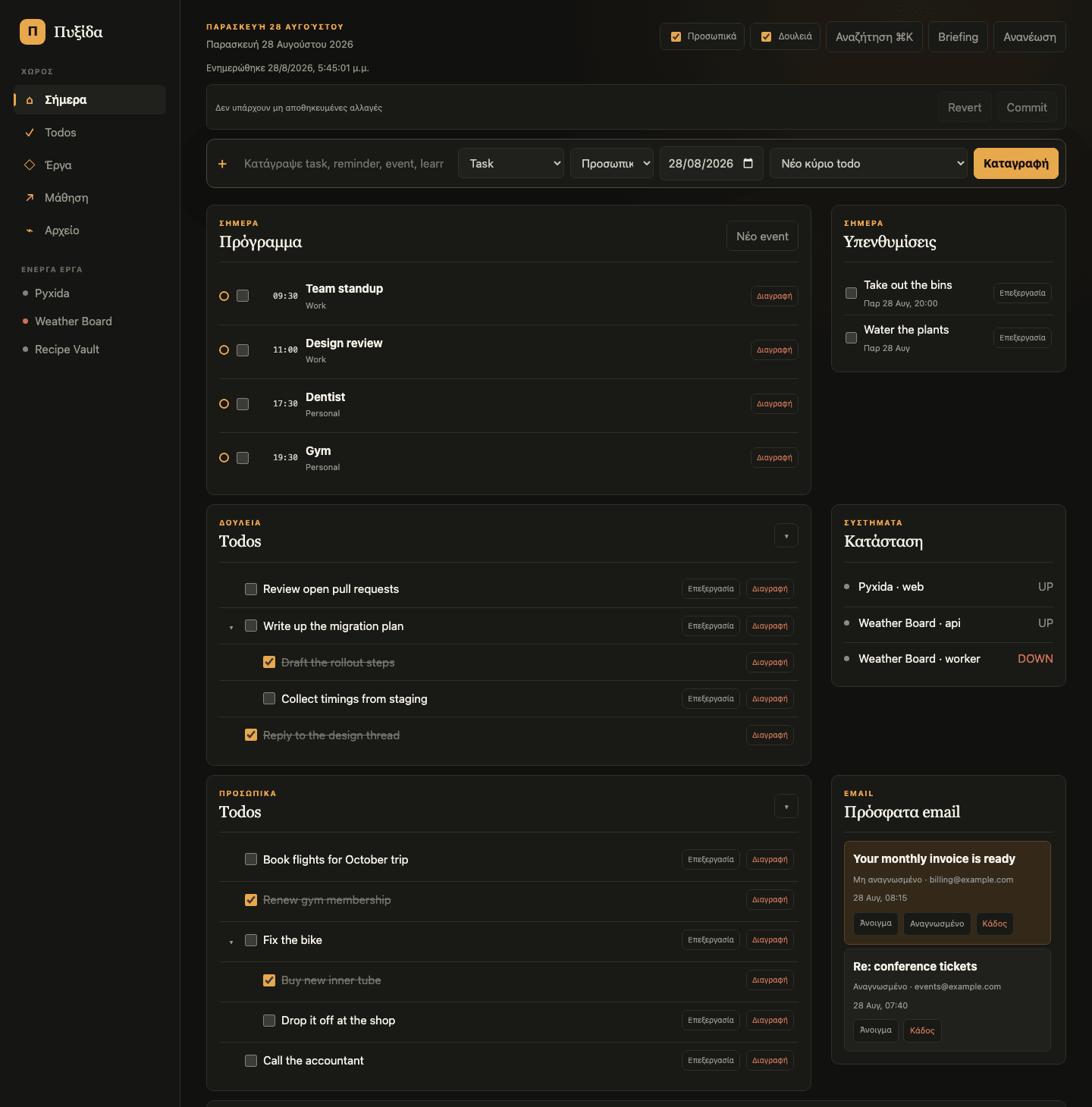
Work lives in there too. I use a devbox day to day, so one machine covers both, and everything ends up in the same place.
Notes
New → Note opens a second window with a big editor: title on top, markdown underneath, and a live preview next to it. On the phone it's the same editor, full screen. And since I live in Neovim, it has Vim keys, with :w and :q doing what you'd expect.
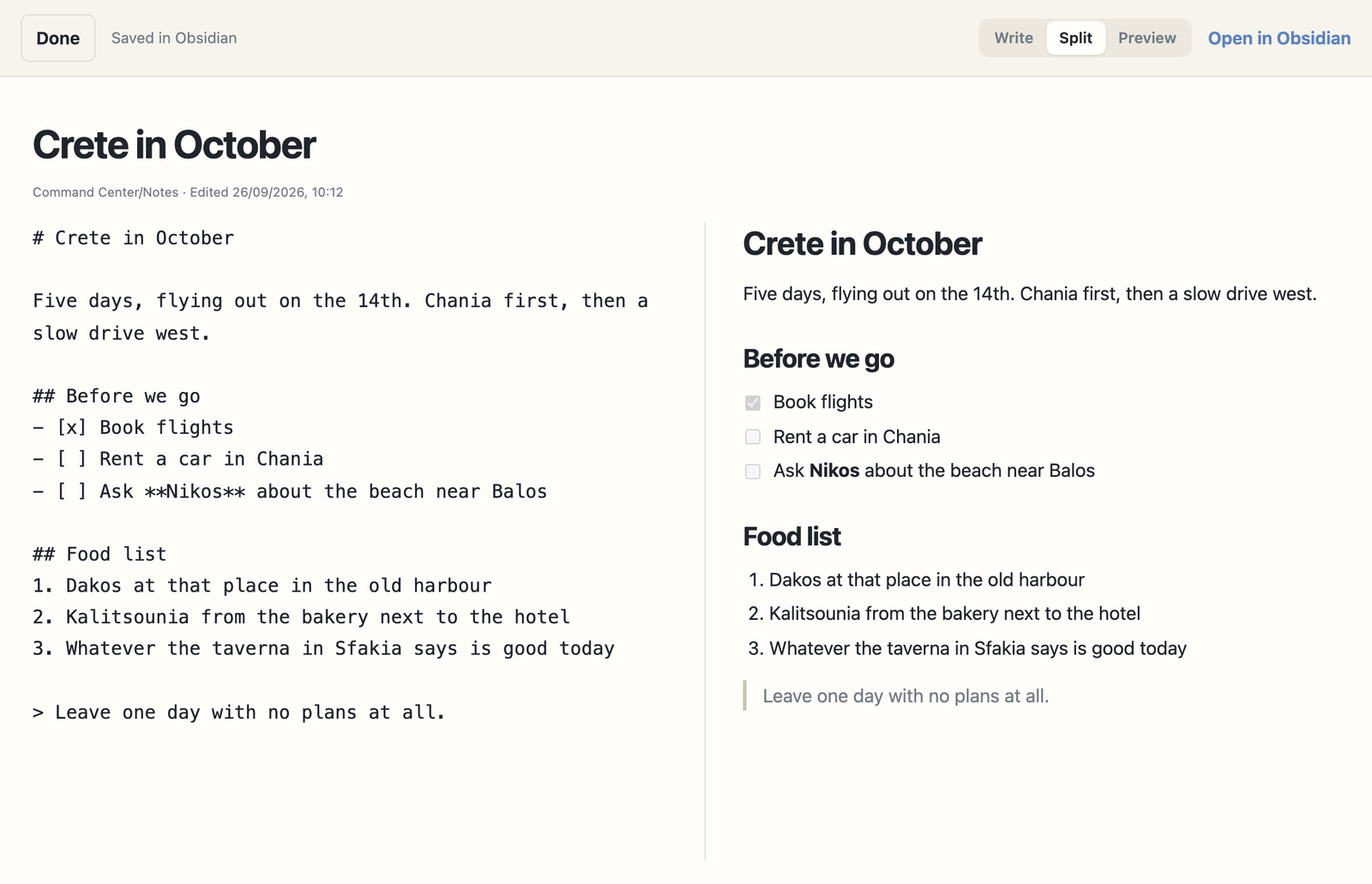
There's no Save button. It saves as I type, and Done closes the window. The note is a normal page in my vault under Command Center/Notes/, so Obsidian sees it like any other file.
Every save carries a hash of the text it replaces, and the Mac applies saves strictly in order. If I changed the same file in Obsidian in the meantime, the save is refused and my text stays in the editor. I'd rather see an error than lose a paragraph.
Search covers the whole vault, titles first and then content. My own notes open back in the editor, everything else opens read-only with a button that jumps to it in Obsidian.
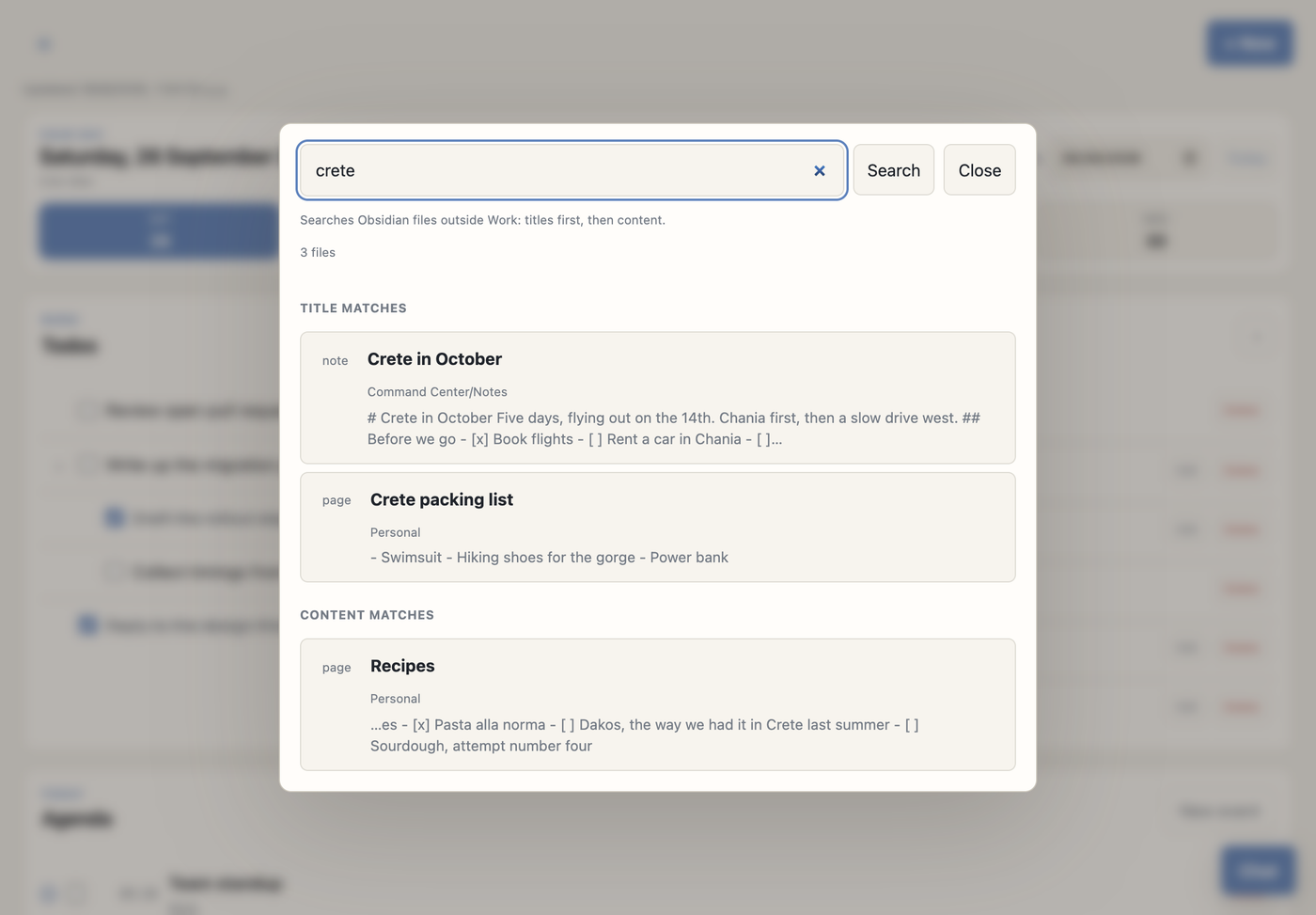
My Work folder never leaves the Mac, so it isn't searchable from here, and none of the vault is ever sent to the chat model.
The Chat
This is the part I use the most. I talk to an LLM that has tools wired in, and the model runs locally in Ollama, so my todos, notes, calendar and midnight ideas never leave my machine. Switching to a cloud model, handy on the phone, is one setting.
I type something like:
remind me to call the accountant on Tuesday morning
and get back a proposal: exactly what it's about to create. Nothing touches my vault until I hit Execute. I've met enough confidently wrong models to give one write access to my notes.
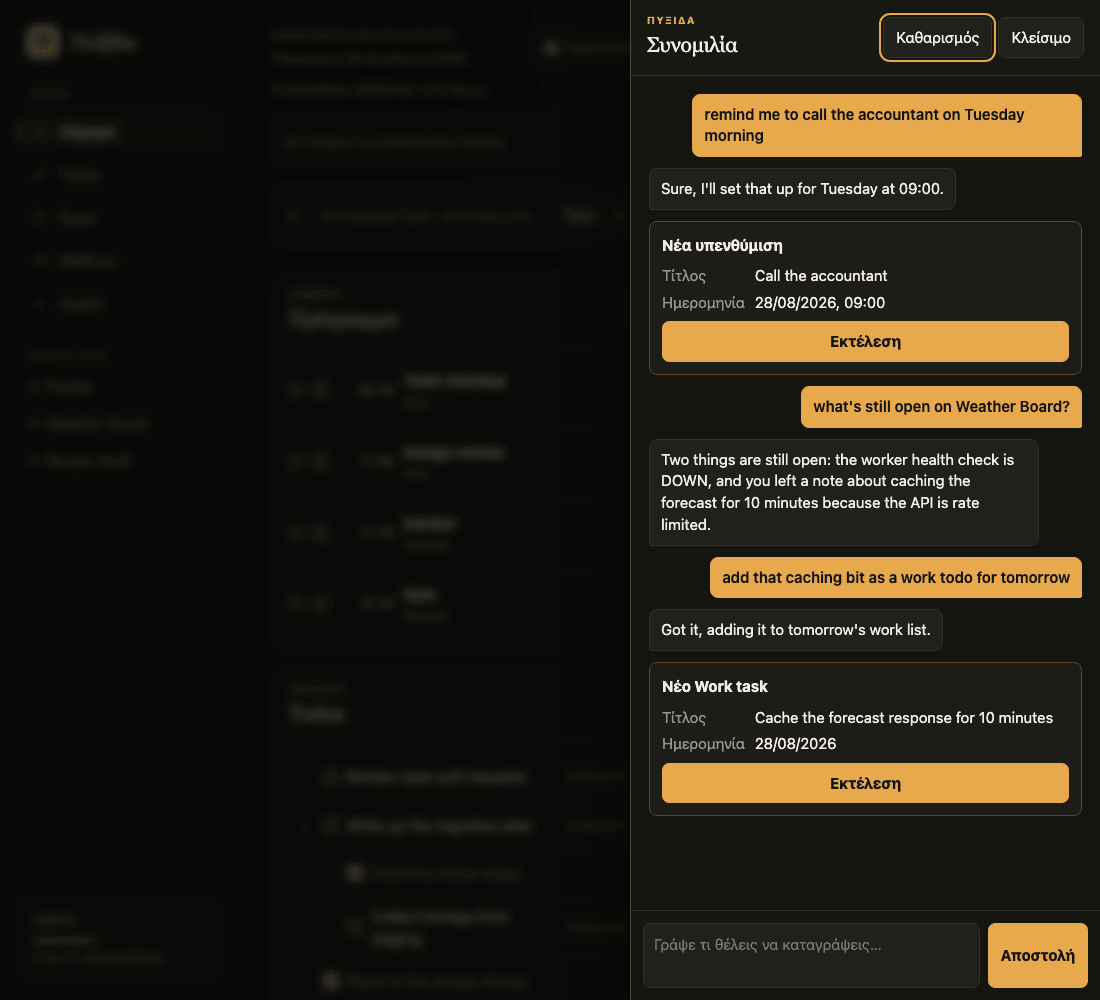
It also reads. Ask "what's still open on that project" and it searches my real items. The model only picks what to search for, and code writes the answer from the matches, so it can't invent an appointment I never had. Online questions go out on their own, with none of my data attached.
It understands Greek, Greeklish and English, which matters when you're typing one-handed and switching languages mid-sentence like every Greek does. Dates like "next Thursday" or "tomorrow" are resolved in plain code before the model sees them. Models are great at intent and mediocre at calendars.
How It Works
Obsidian vault + macOS Calendar/Reminders/Mail + provider APIs
                              |
                              v
              command_center.py  (the only data interface)
                              |
                              v
              cloud_sync.py  (snapshots + command queue)
                              |
                              v
              Supabase  (snapshot + queued commands)
                              |
                              v
              Vercel web app  (phone + desktop shell)
One rule holds it together: only the Python CLI writes to the vault. A checkbox click, a chat proposal and a script all go through the same command with the same validation.
Three LaunchAgent jobs on the Mac keep it moving: commands every 10 seconds, snapshots every 60 seconds, and GitHub, mail and health every 10 minutes. Something I do on my phone lands on a Supabase queue, shows up as pending right away, and within 10 seconds my Mac runs it and publishes the new state.
The browser never touches my files, my Keychain or any provider. It only sees a sanitized snapshot, without mail bodies, full work notes, credentials or local paths, so there's nothing to leak.
On the Mac, a thin Tauri shell loads the same web app. It opens the note windows and has exactly one command, which forwards chat requests to the local model and can only reach my own machine or home network. Everything else ships with a web deploy.
Why Markdown
"My database is a folder of markdown files" sounds like a toy. I think it's the best part. Version history is free because the vault is a git repo, search is free, and I can open any file in any editor for the next 30 years. If Pyxida disappears tomorrow, all I lose is a UI.
It also forces good design. Markdown has no schema, so every rule has to live somewhere explicit, which is why there's only one writer. Concurrent writes and ordering are genuinely awkward, and that's exactly what the queue is for.
And I think this is where LLMs get interesting: small tools that work on your data, in your format, with your context already loaded. An assistant that knows I have three overdue things and a PR waiting is useful. One that needs my whole life explained first is a search box with extra steps.
Pyxida will probably never be finished. But every time it saves me five minutes or catches something I would've dropped, it feels like it's going the right way.
Good enough for now :)